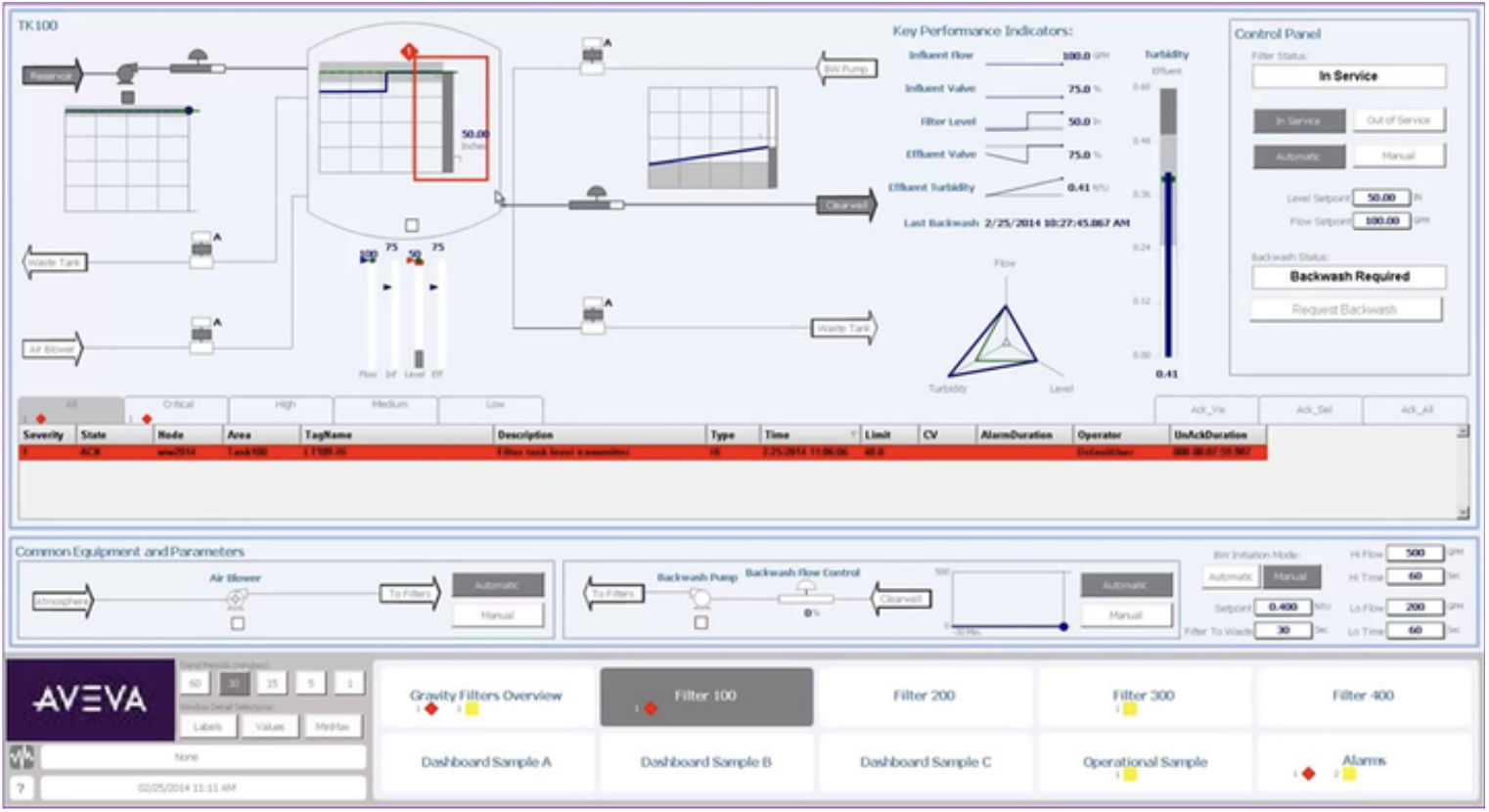
In many industrial automation projects, the first architecture question is framed too early: “Is this an HMI project, or is it a SCADA project?” That question starts with a label before the operating requirement is clear.
A better starting point:
- What must operators see and interact with?
- Which data must be represented as tags?
- Which alarms and trends matter at runtime?
- Is the system local, area-based, or plant-wide?
- Where does broader supervisory architecture begin to matter?
This does not mean AVEVA InTouch replaces every SCADA architecture. It means technical teams should define the architecture from the operating requirement.
Why traditional SCADA thinking can create confusion
Traditional SCADA thinking is not wrong. In many environments, it is still the correct approach.
The problem starts when “SCADA” becomes a default label for every project that includes screens, alarms, trends, and process data. These descriptions can be partly correct, but they are not the same thing.
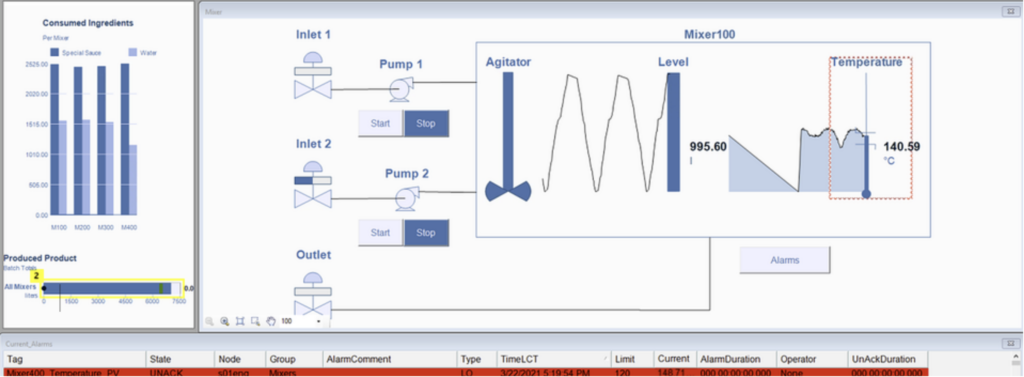
- HMI is the operator-facing interaction and visualization layer. It helps people monitor equipment, understand process status, view alarms and trends, navigate displays, and use permitted command interfaces.
- SCADA is the broader supervisory and data-acquisition context. It includes how process data is collected, communicated, organized, visualized, alarmed, historized, and supported across users, systems, and operating areas.
The difference between the two matters, because unclear language creates unclear scope. A local machine application can become over-designed if the team assumes it must follow a full plant-wide SCADA pattern. A plant control-room requirement can become under-designed if the team treats it as only a collection of screens.
The question should not be whether the label is HMI or SCADA. The question should be what the operating environment actually requires.
SCADA supervisory environment
HMI operator interaction
Operator visualization
Process graphics
Alarms and trends
Navigation and interaction
Command interfaces
Local or area-based
Data acquisition
Communications
Historian and reporting
User management
Redundancy and lifecycle
Integration and availability
HMI runtime, tags, and control boundary
HMI helps operators understand process status and use permitted interaction points. AVEVA InTouch runtime is where the engineered application is used during plant operation. Tags connect process data to graphics, alarms, trends, scripts, navigation, and history. Supervisory interaction belongs in the HMI layer; process-control execution remains in PLCs, RTUs, or DCS controllers.
What makes a system SCADA and how AVEVA InTouch fits
SCADA means supervisory control and data acquisition. The key word is supervisory. A SCADA system is not simply an HMI with many screens. It is the broader architecture that supports supervision across equipment, process areas, or distributed assets.
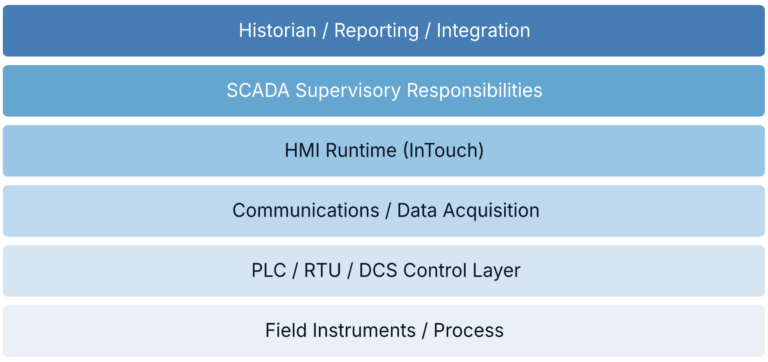
A typical SCADA architecture includes:
- Acquisition and communications;
- Visualization, alarms, trends, and supervisory interaction;
- Historian, users, reporting, and integration;
- Availability, deployment, support, and lifecycle ownership.
Scale alone does not define SCADA. The difference is responsibility, not size. A local packaging machine may need a focused HMI. A plant utility system may need centralized supervision, historian data, and multiple users. A distributed infrastructure may need remote communications and lifecycle control.
AVEVA InTouch HMI is an HMI visualization solution. Its role depends on the architecture: local operator interaction, area-level supervision, or part of a broader plant system.
At wider scale, AVEVA System Platform or AVEVA Plant SCADA may become relevant, depending on supervisory scope, distribution, lifecycle, and availability requirements.
A local InTouch runtime can participate in a wider supervisory architecture. Local HMI and part of SCADA are therefore not always mutually exclusive descriptions.
Operator workflows, architecture questions, and conclusion
Local Operator
- Immediate equipment status
- Permitted local commands and modes
- Local alarms and troubleshooting context
Control-Room Operator
- Wider visibility across areas
- Alarm and trend review
- Coordination and supervision across assets
Five architecture questions
- Operating scope: Machine, unit, area, plant, or multiple sites?
- Runtime work: What must operators see, decide, and command?
- Data context: What must tags support beyond display values?
- Supervisory responsibilities: Which communications, history, users, availability, and integrations are required?
Traditional SCADA remains appropriate where broader supervisory requirements justify it. The problem is not SCADA itself, but selecting the architecture before defining the operating requirement. AVEVA InTouch HMI should be evaluated based on the practical runtime role it performs, and whether that role is local, supervisory, or part of a wider plant architecture.
What must the operation see, do, retain, supervise, and support over time?
Planning a new or modernized HMI/SCADA system? Start by defining the operating scope, runtime needs, tag structure, control boundaries, and lifecycle expectations. A focused architecture review can clarify the appropriate role for HMI or SCADA before product selection.