How structured engineering reduces project time, errors, and long-term maintenance effort.
Engineering efficiency starts with structure
Building an HMI is not only about making screens work. The way an engineering team structures tags, graphics, templates, and repeated equipment can influence how efficiently the application can be built, tested, expanded. and maintained later.
The functionality discussed here reflects current AVEVA InTouch HMI documentation in the 2023 R2 family and its current maintenance documentation. UDTs and the enhanced structured OPC UA tag-creation workflow described in this article were introduced with AVEVA InTouch HMI 2023 R2, so older InTouch versions should not be assumed to behave identically.
This becomes especially important as a project grows. A small HMI may be manageable even when every tag and graphic is created individually. But when the same design approach is used across hundreds of devices, many screens, or several production areas, small inconsistencies can quickly become an engineering problem.
AVEVA InTouch HMI provides several tools that support a more structured and reusable approach, including tags, user-defined types (UDTs), Industrial Graphics, and application and window templates. These capabilities can support reuse and reduce repetitive engineering work.
Start with a clear tag structure
Tags are one of the basic building blocks of an InTouch application.
They connect the HMI to the information engineers want to monitor, display, alarm, trend, or control. InTouch supports different tag types depending on the process information represented.
Creating tags is easy. Creating a tag structure that remains understandable several years later is more difficult.
For example, imagine a project with 100 motors. One engineer may create tags such as:
- Motor1_Run
- Motor1_Fault
- Motor1_Speed
Another engineer may use:
- MTR001_Status
- MTR001_Trip
- MTR001_Hz
Both may work technically, but when several engineers use different methods, the application becomes harder to understand and maintain.
A structured naming convention helps engineers recognize what a tag represents without opening every configuration. The standard does not need to be complicated. What matters is that the team agrees on it and applies it consistently.
One possible project convention is to organize names by area, equipment and signal: Area -> Equipment -> Signal. For example: Line1.Motor01.Speed. This is an engineering example, not an AVEVA-mandated naming convention. The appropriate structure depends on the project and the team’s engineering standard.
|
AREA |
> |
EQUIPMENT |
> |
SIGNAL |
|
Line1 |
> |
Motor01 |
> |
Speed |
|
Example: Line1.Motor01.Speed |
UDTs help move from individual tags to equipment structures
Individual tags are useful, but industrial equipment normally contains groups of related information.
A motor may have:
- running status
- stopped status
- fault
- speed
- current
- mode
- command
A tank may have:
- level
- temperature
- high alarm
- low alarm
- inlet status
- outlet status
Creating these individually for every equipment instance means repeating the same engineering work. This is where User-Defined Types, or UDTs, become useful.
AVEVA InTouch supports UDTs that allow engineers to create reusable data structures for equipment or other repeated structures. A team could therefore define a motor structure once:
- Motor.Run
- Motor.Fault
- Motor.Speed
- Motor.Current
- Motor.Mode
The team can then create Motor01, Motor02, Motor03, and other instances based on the same definition.
The benefit is not limited to reducing repetitive tag creation.
Each instance follows the same structure. UDT instance members behave as InTouch tags and can participate in documented InTouch functionality including Industrial Graphics, animations, scripting, history or Historian-related use, and alarms.
Changes to a UDT definition can propagate to its instances for supported definition elements. However, UDT instances also have configurable instance-level properties and documented limitations, so engineers should not assume that every possible property will always update automatically.
For projects with repeated equipment, this can provide a more consistent engineering foundation than defining every repeated device independently.
|
MOTOR UDT DEFINITION |
> |
EQUIPMENT INSTANCES |
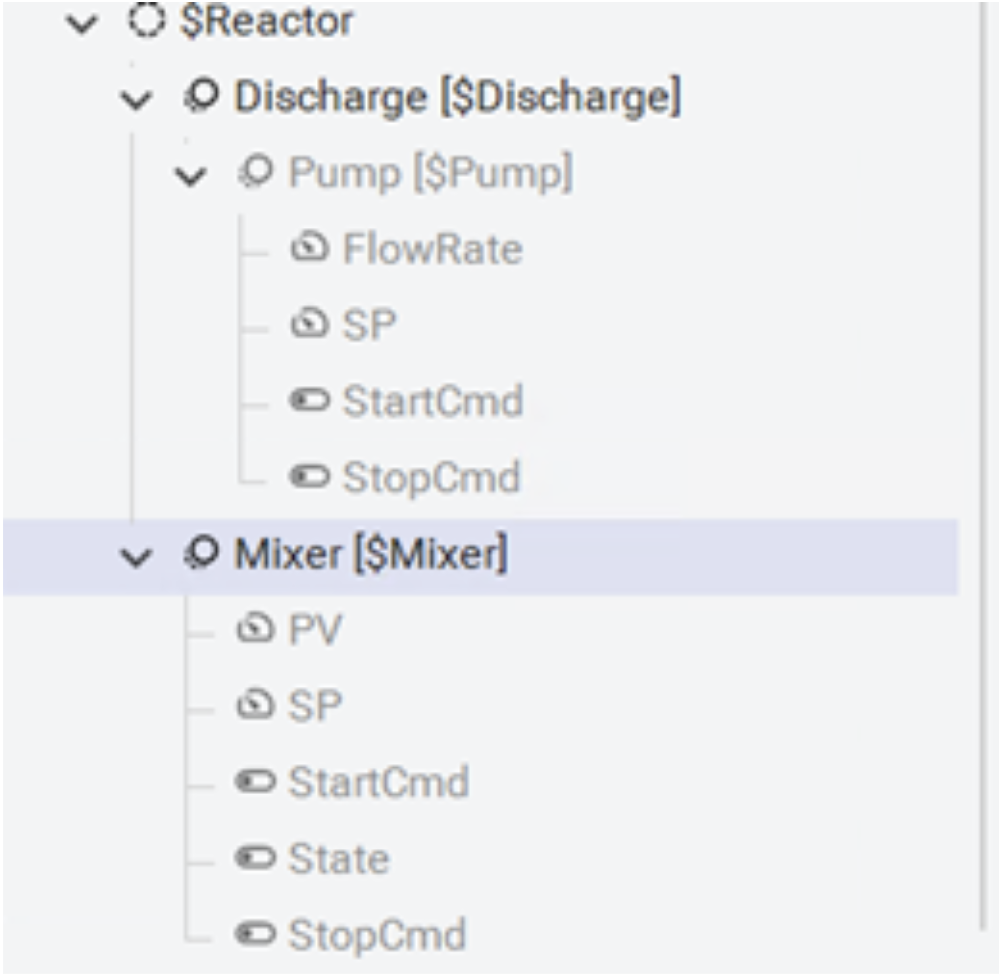
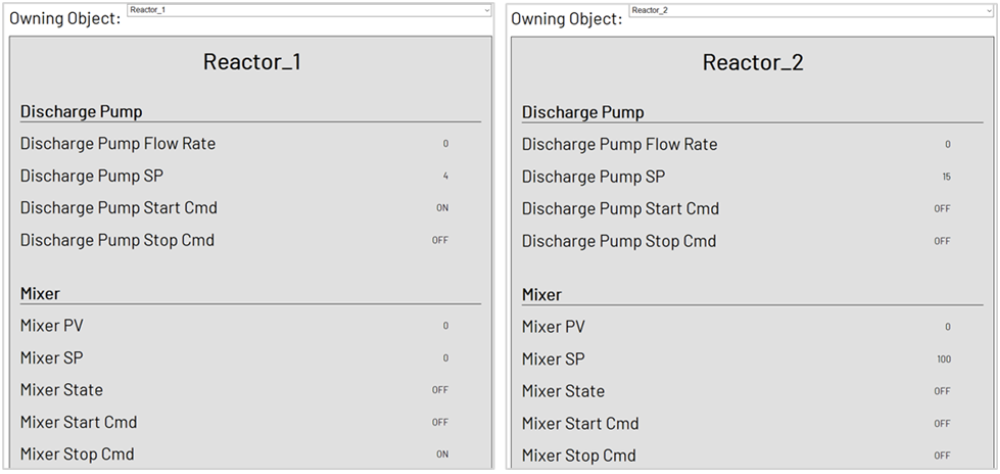
Official product screenshots support the concept. They do not imply universal automatic propagation.
Connect reusable data with reusable graphics
Reusable engineering becomes more powerful when the data structure and the graphics follow the same logic.
Consider the motor example again.
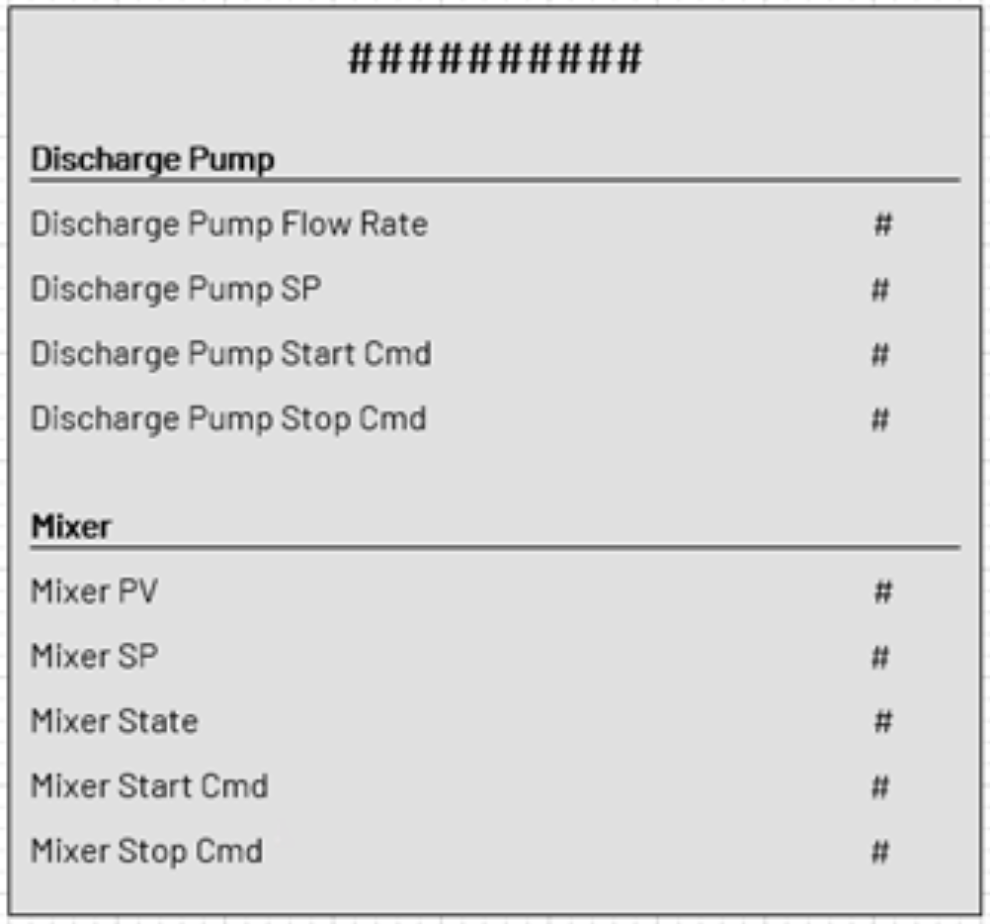
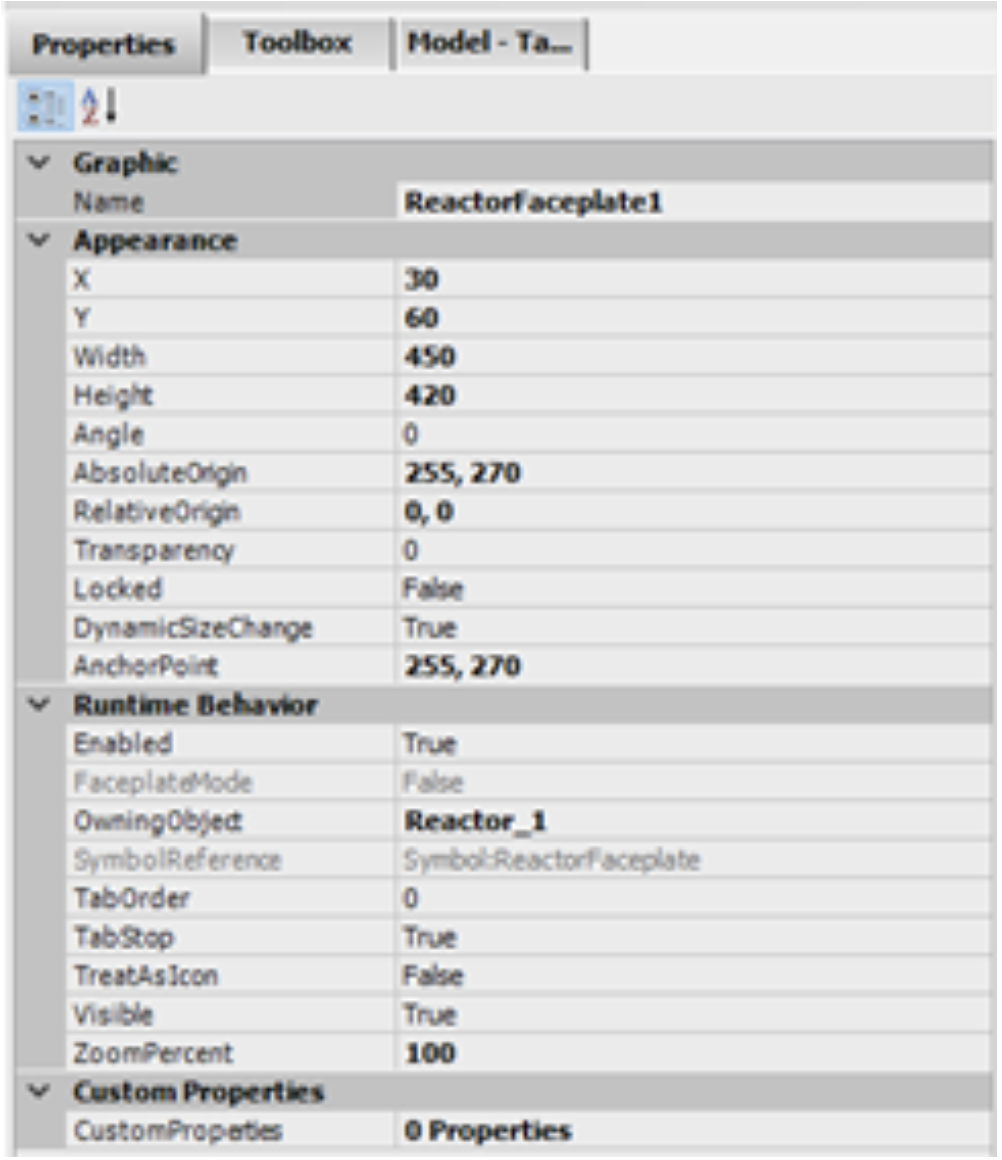
A reusable Industrial Graphic can expose custom properties that are connected to AVEVA InTouch tags, UDT members, or other supported data references. Different embedded instances can therefore use the same graphic design while their custom properties reference different process data.
This makes it possible to think about engineering as reusable components: one equipment structure, one reusable graphic, and many instances.
For example:
- Motor01 uses the motor graphic.
- Motor02 uses the same motor graphic.
- Motor03 uses the same motor graphic.
The graphic design remains consistent, while each instance references different process data.
It can reduce opportunities for manual configuration differences between graphics representing the same equipment type.
This is different from simply copying drawing objects. A copied object is another independent drawing object. Reusable behavior and controlled symbol-change propagation depend on using the supported Industrial Graphic source and embedded-instance relationship.
|
EQUIPMENT |
> |
REUSABLE |
> |
EMBEDDED INSTANCES |
Controlled change behavior depends on the supported source and embedded-instance relationship.
Templates help teams avoid starting from zero
Reuse does not need to stop at equipment symbols.
AVEVA InTouch supports application-template workflows that can provide a predefined starting point for new applications. The workflow is not identical for standalone and managed InTouch applications, so the template mechanism should be understood within the application model being used.
A company could create a standard application containing:
- navigation
- login structure
- alarm pages
- trend pages
- header and footer
- common scripts
- standard colors
- common Industrial Graphics
The next project can then start from this approved foundation.
AVEVA InTouch also supports window templates. A new window can be created from a window template using the template’s properties, content, and scripts. This should not be interpreted as a permanent inheritance relationship in which every later template change automatically updates windows that were already created from it.
For system integrators, OEMs, or engineering departments building similar projects repeatedly, this can reduce duplicated work and improve consistency.
|
Approved application |
> |
Create a new |
> |
Project setup |
|
Window template |
> |
Create a new |
> |
Independent window |
Reuse also improves change management
The value of reusable engineering becomes even more visible after commissioning.
Imagine a plant with 80 identical motor graphics. Later, the team decides that every motor should show a new maintenance status.
With 80 individually created graphics, engineers may need to modify many separate objects.
When an Industrial Graphic is used through the supported source and embedded-instance relationship, appropriate symbol changes can propagate to embedded instances that retain that relationship. The exact behavior depends on the supported symbol configuration and should not be generalized to ordinary copied graphics.
This illustrates an important difference between copying objects and designing with a supported reusable source relationship.
Copying can reduce immediate drawing effort, but it does not create the same reusable source relationship needed for controlled change propagation later.
|
COPIED OBJECTS |
SUPPORTED REUSE |
|---|---|
|
Independent graphic |
Reusable graphic source Appropriate changes can propagate to retained instances. |
OPC UA can also support structured tag creation
Another area where repetitive engineering work can be reduced is tag creation.
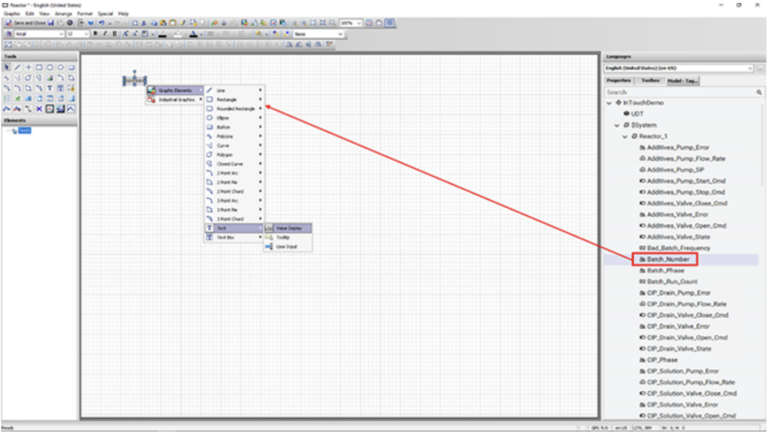
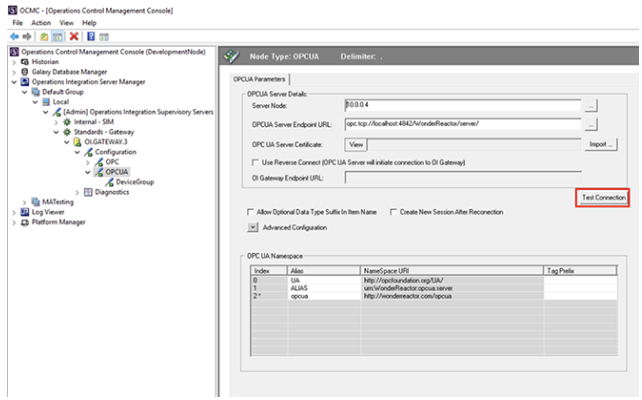
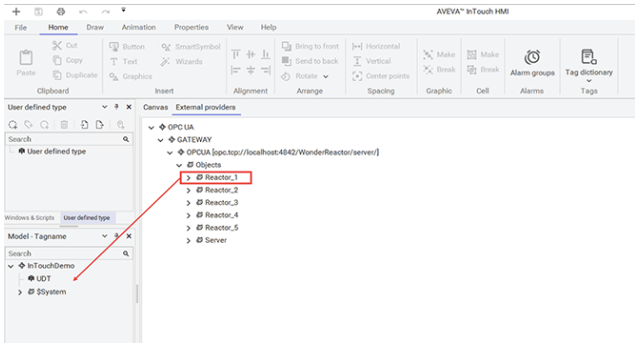
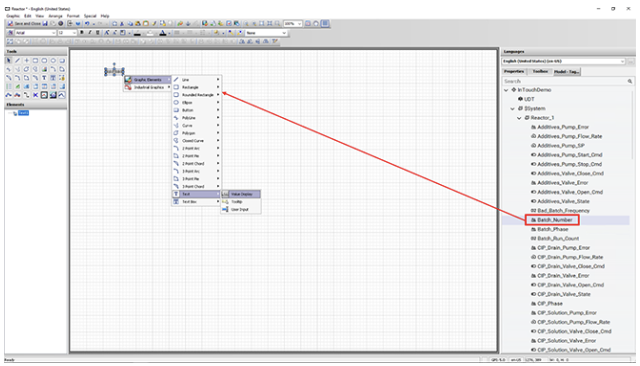
Beginning with AVEVA InTouch HMI 2023 R2, engineers can browse configured OPC UA sources and drag selected items into the Model-Tagname structure to create tags. This workflow depends on having the applicable communication driver and OPC UA connection configured.
For suitably configured OPC UA sources, the browse-and-drag workflow can reduce repetitive manual tag creation while preserving the need for engineering review.
The team still needs to verify:
- naming
- data types
- update requirements
- alarm configuration
- Historian requirements
- equipment hierarchy
- which data actually belongs in the HMI
Automation should reduce repetitive work, not remove engineering control.
|
Configured |
> |
Configured OPC UA |
> |
Browse |
> |
Model-Tagname |
> |
Engineering review |
Engineering standards connect everything together
UDTs, templates, and reusable graphics are tools. They become much more valuable when the engineering team agrees on how they should be used.
A practical InTouch engineering standard could define:
- tag naming conventions
- equipment hierarchy
- UDT naming
- standard equipment structures
- approved Industrial Graphics
- alarm philosophy
- screen navigation
- window naming
- scripting rules
- template ownership
- change and version control
- testing procedures
The objective is not to create documentation for its own sake.
The objective is to make engineering more consistent and easier to understand across the team.
When another engineer opens the application six months or five years later, the structure should make sense without requiring the original developer to explain every decision.
|
[ ] Tag naming conventions |
[ ] Equipment hierarchy |
[ ] UDT naming |
|
[ ] Standard equipment structures |
[ ] Approved Industrial Graphics |
[ ] Alarm philosophy |
|
[ ] Screen navigation |
[ ] Window naming |
[ ] Scripting rules |
|
[ ] Template ownership |
[ ] Change and version control |
[ ] Testing procedures |
Reusable does not mean everything must be generic
There is also a balance.
Not every device needs a UDT. Not every screen needs to come from a template. Not every graphic should become a reusable library object.
UDTs and reusable components are most useful when structures repeat and multiple instances are expected. A one-off piece of equipment may be easier to engineer directly.
The goal is therefore not maximum reuse. It is useful reuse.
Engineering teams should identify the parts of the application that repeat and standardize those first.
Typical candidates include:
- motors
- valves
- pumps
- tanks
- conveyors
- production units
- navigation
- alarm displays
- common faceplates
- standard overview screens
Think beyond the first commissioning
It is easy to measure engineering efficiency only by how quickly the first version of an application is completed.
But engineering effort continues after startup.
Applications are modified. Equipment is added. Operators request changes. Standards evolve. Another engineer eventually takes responsibility for the system.
This is why reusable design matters.
A structured InTouch project built around clear tags, reusable equipment structures, standardized graphics, and templates can make future changes easier to understand and control.
A practical way to begin
Engineering teams do not need to redesign their complete HMI standard at once.
A good starting point is to choose one common equipment type.
For example, take a motor and define:
- the required data
- the tag or UDT structure
- the naming convention
- the standard graphic
- alarms and status
- how the graphic connects to the equipment instance
- how the component will be tested
Use it several times. Then improve the standard based on what the team learns.
Once the pattern works, apply the same method to another repeated equipment type.
Over time, the team can build a reusable engineering library from patterns that have been tested and accepted.
Conclusion
Engineering efficiency in AVEVA InTouch is not mainly about working faster.
It is about avoiding the need to engineer the same thing again and again.
Tags provide the data foundation. UDTs organize repeated equipment into reusable data structures. Industrial Graphics support reusable visualization through supported source and embedded-instance relationships. Application and window templates provide starting structures and workflows within the applicable InTouch application model.
Engineering standards connect these pieces into a consistent method.
The result is an HMI project that can be easier to build, understand, change, and maintain as it grows.
For engineering teams, that is where reusable design becomes more than a convenience. It becomes part of the architecture.